


Figma to Shopify
Contents
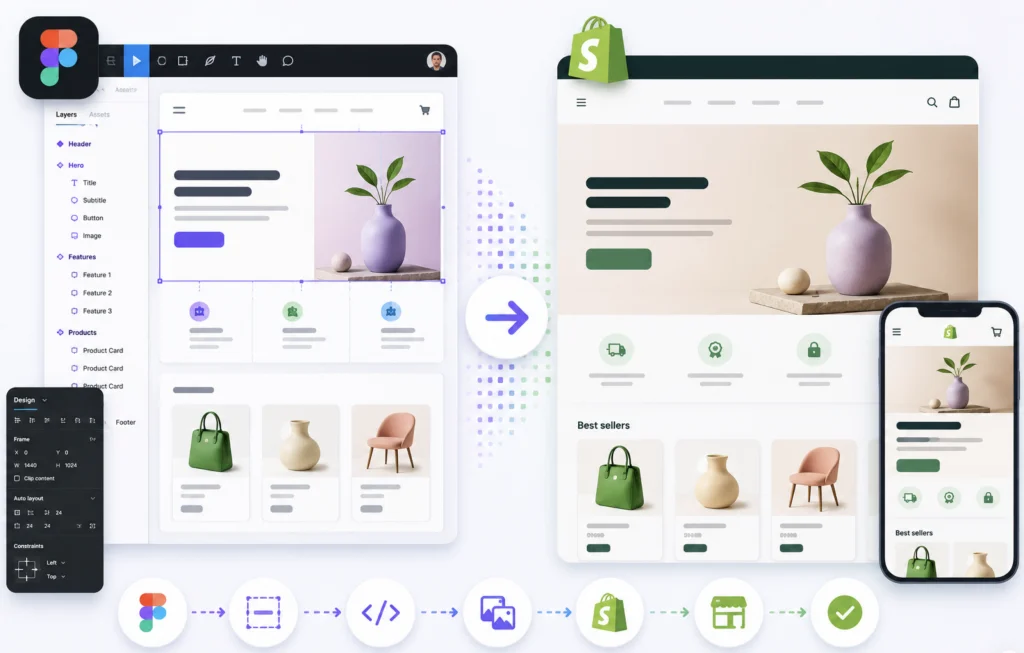
The professional transformation of design layouts into high-performance e-commerce solutions requires deep technical expertise and strict adherence to development standards. In the industry, the Figma to Shopify process is often divided into automated conversion and custom programming. Choosing custom architecture ensures long-term stability and scalability for the business.
WOP lab: Figma to Shopify
Technical project implementation at WOP lab is based on the native Liquid template language. This eliminates the code bloat characteristic of visual builders and guarantees high-speed server-side processing. The implementation of Shopify OS 2.0 architecture allows for the creation of flexible JSON templates, providing store administrators with full control over content without the need for code intervention.
The following table demonstrates the key differences between implementation methods to highlight the technological advantage:
| Feature | Automated Plugins | WOP lab Development |
| Code Quality | Bloated, unstructured | Clean, semantic Liquid |
| Load Speed | Average/Low | Maximum (Core Web Vitals) |
| Scalability | Limited by plugin functions | Unlimited customization |
| SEO Optimization | Basic | Deep (Schema, microdata) |
The application of hand-coding serves as an investment in the absence of technical debt, which is critical for commercially successful projects.
Figma to Shopify at WOP lab
Performance optimization is a priority stage during design migration. Compliance with Core Web Vitals metrics (LCP, FID, CLS) directly affects search engine rankings and conversion rates. Utilizing modern layout methods, such as CSS Grid and Flexbox, combined with the minimization of JavaScript libraries, enables the achievement of high scores in PageSpeed Insights.
The technological stack utilized for Figma to Shopify implementation includes the following components:
- Liquid — for creating dynamic and secure templates.
- Vanilla JS — for implementing interactive elements without performance loss.
- Tailwind CSS / SCSS — to ensure lightweight and responsive styling.
- Shopify CLI — for efficient theme deployment and testing.
This set of tools guarantees the creation of a product fully prepared for high loads and intensive sales.
Figma to Shopify from WOP lab
The Pixel-perfect principle ensures 100% identity between the final website and the original Figma layout. This preserves the marketing strategy and visual communication of the brand established during the design phase. Special focus is placed on Mobile-first responsiveness, which is critical for the global e-commerce market where mobile traffic accounts for over 70%.
A multi-level quality control (QA) process includes cross-browser compatibility checks and code validation for compliance with W3C standards. This approach eliminates display errors across devices with different screen resolutions and operating systems.
Frequently Asked Questions
Is direct transfer from Figma to Shopify possible without loss of quality?
Direct import via plugins often leads to the generation of “dirty” code that slows down the website. Professional conversion at WOP lab involves manual development, which guarantees architectural purity and the absence of errors.
How is store load speed ensured during conversion?
High performance is achieved through image optimization, the use of native Shopify functions, and the exclusion of heavy third-party applications. This ensures instant page response and improves the user experience.
Does the final theme support Shopify OS 2.0 sections?
Yes, development is carried out using JSON templates, allowing the store owner to independently add, move, and edit custom sections through the standard Shopify theme editor.
Expert Figma to Shopify implementation at WOP lab guarantees the creation of a technologically advanced and commercially effective tool for international e-commerce business.


